New in AltoSignal 4.0
Your spa, live, on every screen.
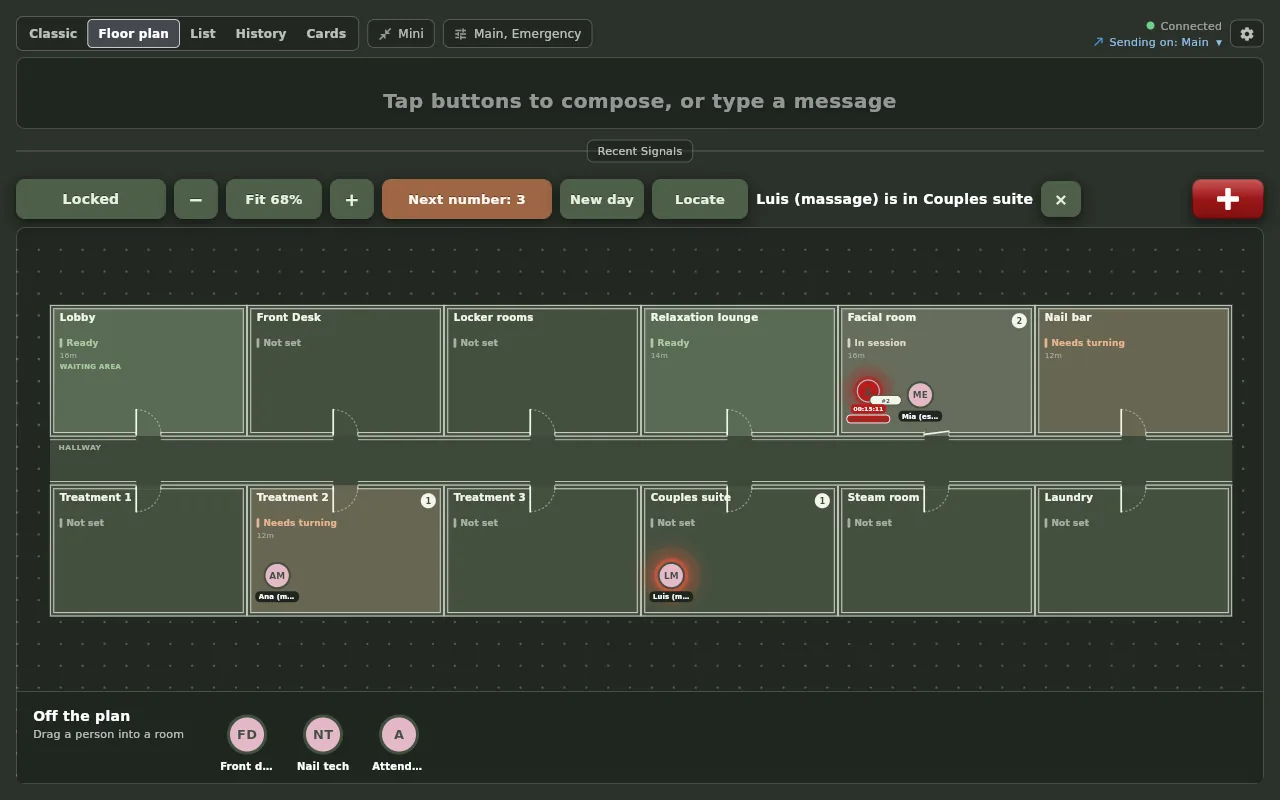
Version 4.0 draws your treatment rooms as a floor plan and puts every guest and every therapist in them. Take a number at reception, move the guest into a room, watch their clock and their state, and read the whole visit back afterwards. The board you already use is one tap away, on the same screen. The full 4.0 tour.
Each clip: the desktop app at reception on the left, the treatment-room tablet in Spa Dim on the right, real time.
Your rooms as a plan
Auto layout draws your Where buttons wall to wall around a hallway. Floor design makes it yours: walls, doors, the lounge as the waiting area, the colors.
Take a number
A guest is a number and a clock, never a name. Robe and tea to the attendant, Guest ready to the therapist, then the room.
States with timers
In service, Mask on, Add-on, Checking out: your words, and a countdown that turns red when it runs out.
The whole visit, read back
Every room a guest was in, with times, and every state change, on the guest and on the room. Minutes between guests, written down for you.
New in AltoSignal 4.3
Set up in a sentence. See how the day went.
Set up in a sentence
Describe your spa in your own words, or answer three questions, and get your buttons, treatment rooms, room states and a floor plan to approve before anything is saved.
Your floor plan from a photo
Take a picture of your fire escape plan or a sketch. The rooms are drawn for you and matched to your own, and you choose to keep your rooms, add the new ones or replace them.
Activity at a glance
Owners and admins see signals per day, how fast they are answered by hour, the busiest rooms and people, and a short weekly summary, in the app and on the account page.
A simpler Setup
Four tabs instead of one long screen, a box at the top that answers how to do something from our guides, and a simple mode that keeps a new screen to buttons and room cards.
Live on every platform; most screens update themselves. The setup guide, step by step.
New in AltoSignal 4.2.1
Timers on rooms, and cards that do the work.
Timers on rooms
Tap the tub’s card and pick a length, from 5 minutes to an hour, or any minutes and seconds. The card fills as the time runs down and glows red when it is up. Choose your own list of lengths in Setup.
Room cards that do the work
Tap a room card to see who is in it, add the next guest, move one to another room, rename them, set their status or take them off the board. Remove all clears the room in one tap.
Reception empties itself
When the front desk sends “Client ready” for the Lobby and the therapist answers On My Way, the guest who has waited longest leaves the Lobby on every screen, with Undo for a few seconds.
Cards you can read at a glance
Every room card is the same size and says how many guests are in the room, so a break-room monitor shows the whole spa without scrolling.
For the hydrotherapy tub, the sauna and anything else that runs on a clock. Live on every platform; most screens update themselves.
New in AltoSignal 4.2
The floor plan keeps itself up to date.
The plan follows the pages
Page “Ana, Client ready, Treatment 2” and when Ana answers On My Way, the floor plan moves Ana into Treatment 2 on every screen. The front desk never drags anyone.
Typed counts too
A typed page that names one person and one room moves them the same way, and so does a typed “omw” right after a page arrives.
Replies in your words
Write a reply your own way and AltoSignal understands whether it means on my way. Setup marks the replies that move people; untick any you want to stay put.
Last seen, not guessed
Someone nothing has placed for an hour fades on the plan, and Locate says “last seen in the salt room”, so the plan never pretends to know. Guests never fade.
For a front desk that runs the whole day and has no time to move therapists on a screen. Also new: a complete sample spa in one press, to try before you build your own, and lists that fit a phone. Live on every platform; most screens update themselves, and here is how to update one that has not.
New in AltoSignal 4.1
Who’s in today, and the history beside you.
Who’s in today
Mark each person In, Lunch, Out today or Away until a date, with reasons you choose. Every screen hears “Ana is in” on arrival, and anyone at lunch or out leaves their room on the plan. A presence board, not a time clock.
History beside any view
Show history opens every message in a side pane next to the plan, the list or the board, on a computer or a larger tablet turned sideways. Drag it wider and reply from it.
Tell them
Move Ana from the break room into Treatment 2 and, for a few seconds, a bar offers to tell her. One tap calls Ana to the room with her own tone. Ignore it and the move stays silent.
Your whole spa in one tap
Starter buttons now set up the buttons, the floor plan and the Spa theme together, with no limit on rooms. The Day spa set speaks a real day spa’s words: client ready, the tranquil area, the salt room, and a 45-minute timer for the sauna, salt room or tub.
Built from a day spa owner’s own list of asks. Live on every platform; most screens update themselves, and here is how to update one that has not.
Tap who, what, and where. Then send.
A working replica of the AltoSignal board, running right here in your browser. The front desk runs Spa Daylight; the two treatment-room tablets run Spa Dim, the way a real spa sets them. Tap Acknowledge on either tablet and watch the front desk hear back.
This demo uses the day-spa set. The app also ships presets for med spas, salons and studios, resort spas, massage practices, and float or sauna studios; try them below.
0 dB
Added to the treatment room. No overhead paging, no raised voices.
5 tones
In the Spa pack. One per channel, set once for the whole spa.
10 min
From sign-up to your first signal, with a spa preset built in.
$25
A month for your first 5 devices, cheaper per device after that. Unlimited staff seats.
Minutes between guests, on a screen instead of in someone’s head.
Signals are moments; rooms have conditions. Every room carries a state that every screen can see, and setting it pages nobody, so a wall tablet does not chime all day.
Press the board and watch one turn. Nobody walks the hall to check, and nobody knocks on a closed door to ask.
How the room turn worksNew in 4.0, the rooms can also be drawn as a floor plan, with every guest and every therapist in them: take a number at reception, move the guest into a treatment room, and watch their clock and state. See the floor plan.
The Rooms board
{{ clock }}Five states ship, six is the ceiling, and the words are yours. None of this made a sound.
The same turn, on the real screens
Fire 7 on the wall, the desktop app at the front desk1 The tablet by the door
2 One tap on the room
3 The front desk, the same second
Real captures from two devices on one account, minutes apart; the desktop app is the same on Windows, Mac and Linux. Tap any of them to look closer, or read how the room turn works.
Four taps, and the room already knows.
Pick who, what, and where. Tap send. Every screen in the spa updates instantly: the front desk iPad, a therapist’s phone, the dispensary monitor. Whoever it’s for taps once to acknowledge.
Pick the person
A massage therapist, an esthetician, the front desk, the spa coordinator, or a whole role at once.
Pick the action
Client ready, in the restroom, filling out forms, done in five minutes, turn the room.
Pick the room
Treatment 1, the tranquil area, the salt room, renamed to Willow Suite or whatever is on your doors. Your names, not ours.
Tap send
Every screen updates at once, with its own tone. One tap acknowledges.
Getting started
Three questions, and your spa is set up.
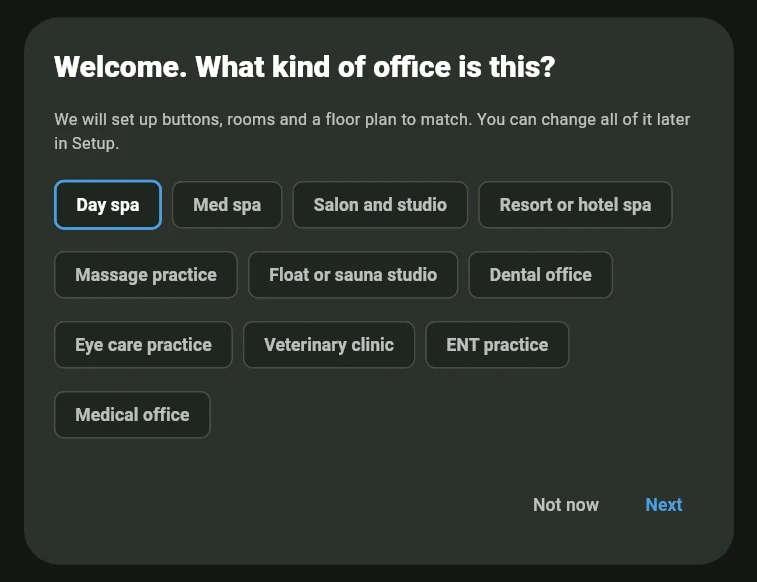
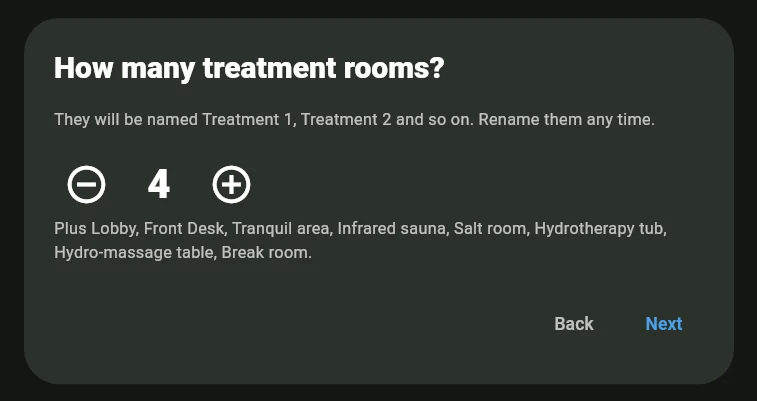
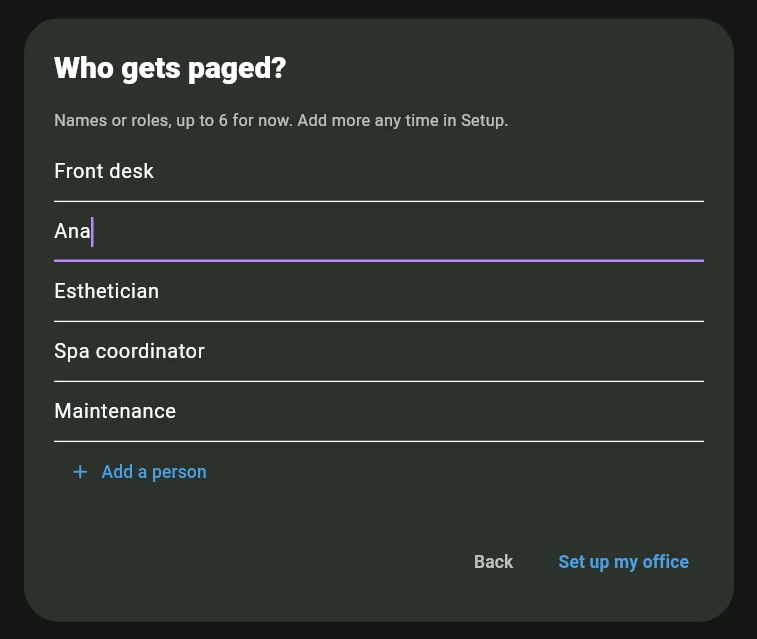
The first time the app opens on a new account, it asks what kind of business you are, how many treatment rooms you have, and who gets paged. Then it fills every screen with your rooms, actions and a floor plan. Rename anything later in Setup.

Built for spa language, not clinic language.
Your buttons say what your team actually says: client ready, filling out forms, done in five minutes, turn the room. Rooms are suites, not operatories. Pick your kind of spa, build a signal, and send it.
- Your own vocabulary on every button: suites, not operatories.
- A calm, low-contrast interface that doesn’t glare in dim treatment lighting.
- Native apps for iPhone, iPad, Android, Amazon Fire, Mac, Windows and Linux, plus a browser that runs on any desktop.
- Acknowledgements come back to the sender, so nobody walks the hall to confirm.
{{ col.label }}
This is the app, not a picture of one.
Every screen below is a real capture from a real device on a spa’s account. The tablet shots are 4.0 on a Fire HD 10 in a demo day spa; the desktop and room-turn shots come from an earlier release of the same app. Tap any of them to look closer, or see every platform and where to download it.
On a desktop screen
Front deskRuns in any browser today at app.altosignal.com, and as a Mac, Windows or Linux app.
The room turn
Fire 7 and the desktop app, one accountThe desktop app runs on Windows, Mac and Linux. The states, their colors and their order are the account's to change, in Setup. How the room turn works.
On a Fire tablet
Treatment room, Fire HD 10, 4.0Available now on the Amazon Appstore, and on Google Play for Android phones and tablets.
A theme for every room’s light.
Every screen picks its own theme, the way it picks its own pack. Bright rooms get parchment; dim rooms get moss, so the screen never fights the lighting you worked so hard to get right. Both of these are the same board, on the same account, minutes apart.
Daylight
For the bright rooms: front desk, dispensary, retail. Warm parchment and moss keep buttons legible in daylight without the glare of a clinical white screen, so the board reads at a glance from across the desk.
Dim
For treatment areas, hallways, and evening hours. Deep moss surfaces hold the room’s calm, with no bright rectangle in candle light, so a screen can sit face-up in a treatment room without lighting it.
Each screen chooses for itself, before you even sign in. The front desk can run Daylight while the treatment rooms run Dim, on one account.
Privacy is the product. Quiet is the proof.
The signal is private by design
A page reaches one person’s device, not the whole floor. Guests mid-treatment never hear a name, a room number, or a request.
Overhead paging never fits a spa
Intercoms and call lights are built for clinics and warehouses. AltoSignal replaces them with something that matches the room you built.
Turnover without hallway traffic
A therapist signals turn the room on the way out, housekeeping acknowledges, and the front desk sees both. Nobody walks past a closed door to find out.
Sound you choose, per channel
Water at the desk, a bowl in the dispensary, a flute in the back of house. Each channel carries its own tone, set once for the whole spa, so a sound means the same thing on every screen.
No guest data stored
No names, no notes, no health information. Signals carry a role, an action, and a room. Nothing else.
Add the whole team free
Seats are unlimited. You pay for screens, and only the screens you actually use.
A spa paging system without pagers or call buttons
Most spa paging systems mean more hardware: a staff pager on every belt, a guest pager at the desk, a call button on every wall. AltoSignal replaces all of them with the phones and tablets your spa already owns. A signal names who it is for, what is needed, and where: guest ready, Treatment 2, to the therapist. One tap acknowledges, and the answer travels back to the sender. Nothing plays overhead, so the treatment rooms stay as quiet as you built them. If you are weighing the options, read how the four kinds of spa paging system differ, compare them side by side, and see which tablets to buy before you spend anything.
Nobody knocks on an occupied door again.
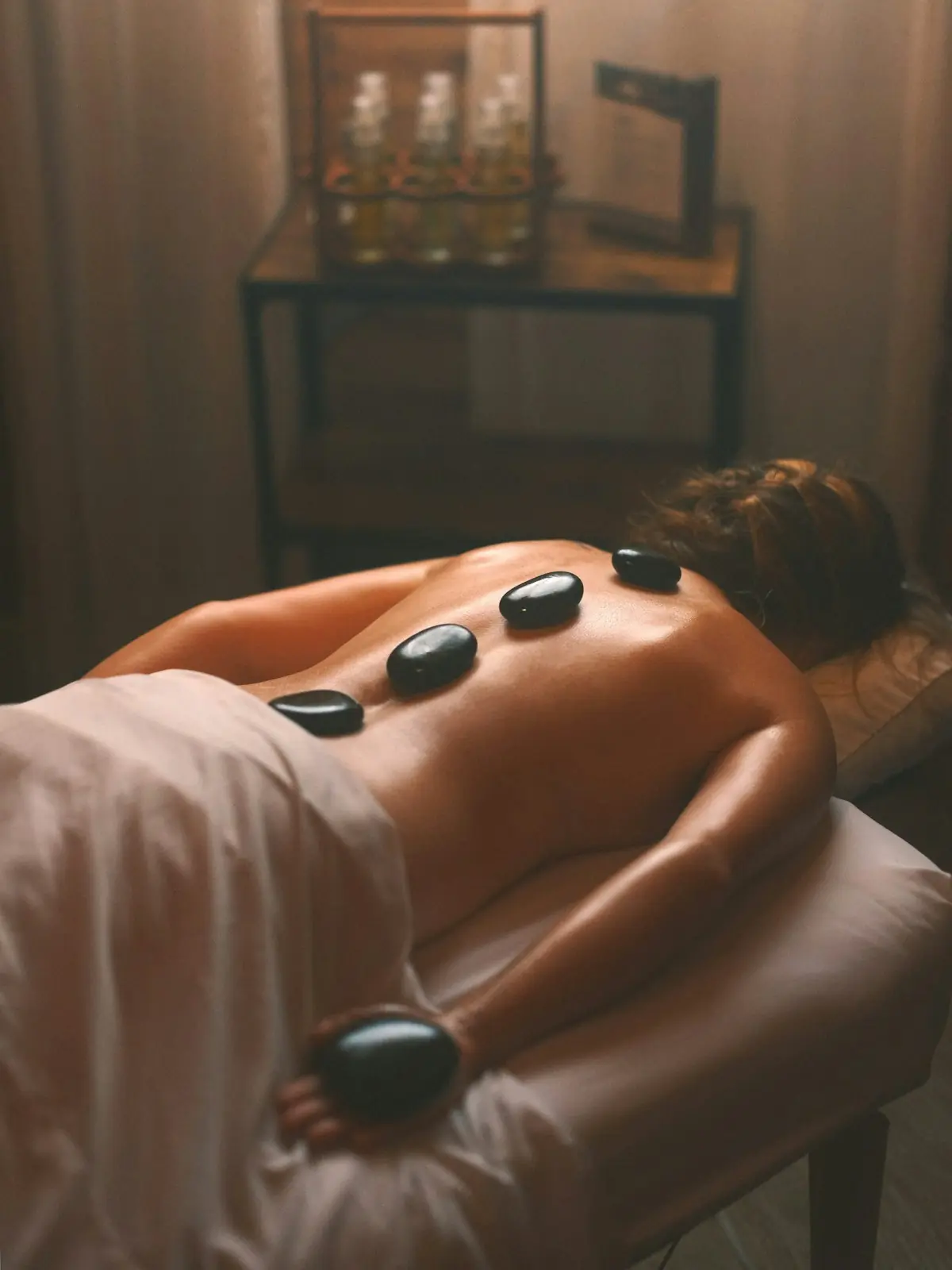
A massage therapist finishes and taps turn the room for Treatment 2. Maintenance hears it, taps once, and the acknowledgement travels back. The front desk sees the whole exchange on the board. Nobody walks the hall to check, and nobody knocks to ask.
Signals do not leave the building to cross the hall.
Screens on your own network hand signals straight to each other, at the same time as the cloud. Both paths carry every signal, so nothing has to switch over and there is nothing for your team to notice.
A resort spa on the hotel’s wifi, or a studio on a consumer router, needs that more than an office does, and is least likely to have anyone on site who can fix it.
What keeps working, and what waitsKeeps working
Signaling between screens on the spa network, the buttons and rooms already on the board, and room states between those screens.
Waits for the connection
Editing button labels, adding a channel, rebuilding a layout, and anything to do with your account. What a manager touches a few times a year.
Built for the person who runs the network
The IT manager of a 26-location eye care group came to us after the paging system he had inherited flooded the office network with multicast traffic and knocked out the phones he had just installed. He moved it to its own VLAN and the traffic still leaked. A resort spa on the hotel’s network, or a studio sharing a router with the front of house, answers to the same person.
AltoSignal’s local path is a small discovery beacon and direct one-to-one connections on one port, encrypted with a key that belongs to your account. And when a policy wants none of it, it is one switch: off for a single screen, or off for the whole account so no screen can turn it back on. Signals still arrive over the internet either way.
The switches, and how the path works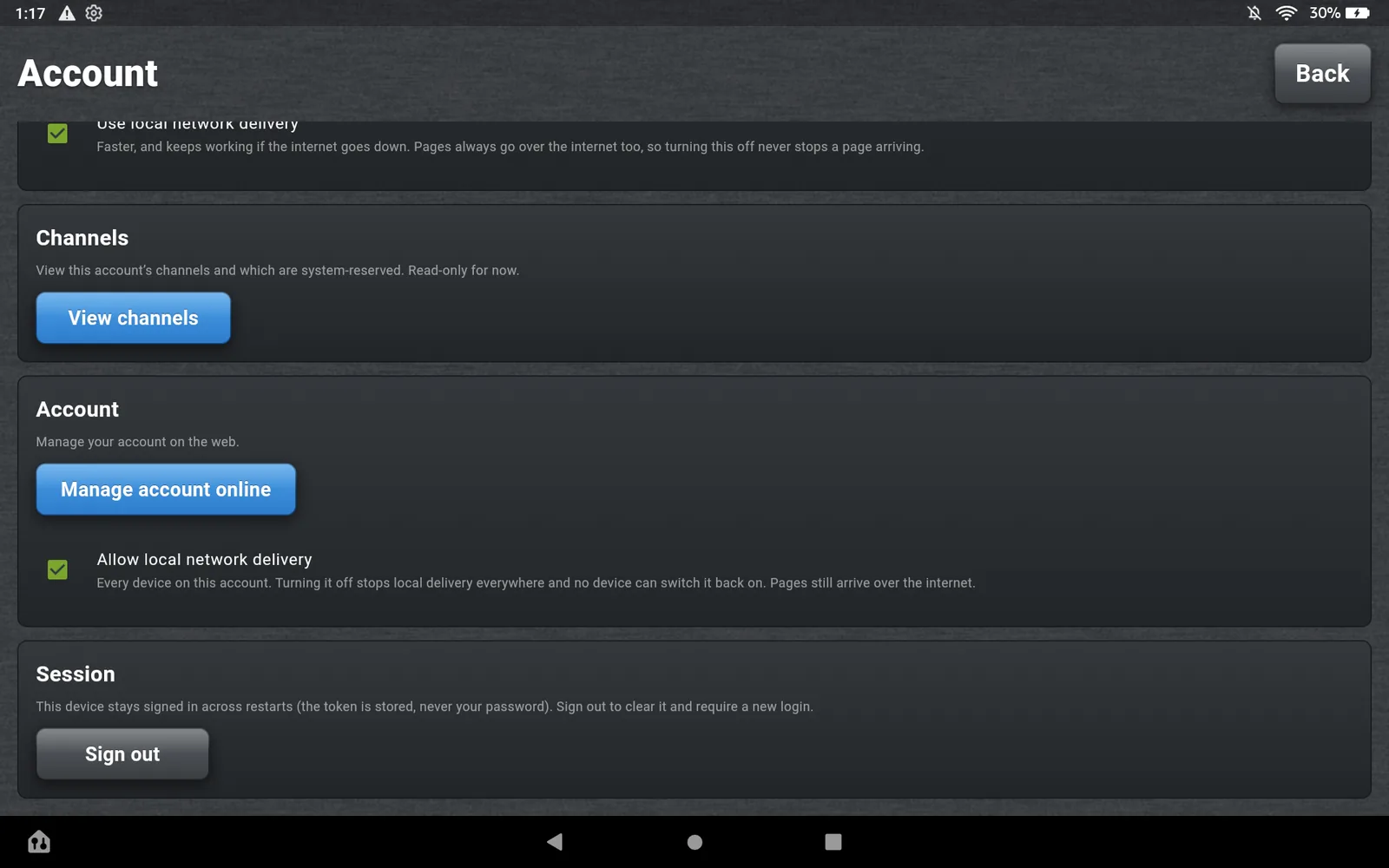
The rooms may be in different buildings.
Wall lights, call systems and on-site servers stop at the walls of one building. A second location means a second installation. AltoSignal runs one account across every property, and inside each one, the screens still hand signals directly to each other.
Med spas
No guest names, notes or health information stored anywhere. A BAA on request.
Resort and hotel spas
Presets for concierge, attendant, hydro pool, sauna and the relaxation deck, on a network you do not control.
Groups and franchises
Add a location without adding hardware, wiring, or an IT visit. One place to manage all of them.
Twenty screens and up
Every device past the twentieth costs $2 a month or less, and staff seats stay unlimited at every size.
What changes when the spa is bigger, or work out the exact figure for your screen count.
Per device. Cheaper as you grow.
$25 a month covers your first 5 devices; devices 6–10 are $4 each, 11–20 are $3, 21–100 are $2, 101–200 are $1.50, and 201–500 are $1.25. Each band prices only the devices inside it. Staff seats are unlimited: you pay for screens, not people.
30-day free trial. No credit card to start. Pay yearly and you get two months free. Work out what your spa would pay.
Want to see how it would work in your spa? Request a demo.
A 6-room med spa
$51
a month for 12 devices
Yearly · 2 months free
$42.50
a month for 12 devices, $510 billed yearly
Seven pages, if you want the detail.
Everything on this page has a longer version, written for somebody actually deciding.
The floor plan, new in 4.0
Your spa drawn as a plan, take a number for guests, timers on states, and every guest’s day as a history.
The room turn
Room states, quick replies, and the minutes-between-guests number.
Apps and downloads
Every platform, with real screens in both Spa themes.
When the wifi drops
Screens signal each other directly, alongside the cloud.
Groups and resorts
One account across every property, and the per-device rate keeps falling.
Choosing a system
Overhead, call lights, pagers, group texts, and the fourth kind.
Which tablets to buy
A shopping list, and the three mistakes that look like bugs.
Frequently asked
How long does setup actually take?
Under ten minutes. The first time the app opens on a new account, it asks what kind of business you are, how many treatment rooms you have, and who gets paged, then sets up your rooms, actions and a floor plan. Rename anything later in Setup. No installer, no IT call.
Will guests hear anything?
Only what you let them hear. A signal plays on the screen it lands on, at whatever volume that device is set to. The front desk tablet can be audible while a phone in a treatment room is turned down, or simply is not in the room. A screen can also switch its alert sound off entirely, under Alert sounds. Nothing ever plays overhead, and the emergency alarm is the one sound no screen can turn off.
Will it work over our existing Wi-Fi?
Yes. AltoSignal runs in any browser, with native apps for iPhone, iPad, Android, Amazon Fire, Mac, Windows and Linux. If your front desk can load Google, AltoSignal will work, with no new hardware and no special network.
What happens if a device goes offline mid-day?
When it comes back online it picks up the most recent broadcast and any acknowledgements it missed. Nothing gets lost in the gap.
Can we turn local network delivery off?
Yes, per screen or for the whole spa, and the reason the switch exists is a story we heard from the IT manager of a 26-location eye care group. The paging system he had inherited flooded the office network with multicast traffic and knocked out the VoIP phones he had just installed; he moved it to its own VLAN and the traffic still leaked. The local path is a small discovery beacon and direct encrypted connections on one port, so there is nothing to flood. When a network policy wants none of it, two switches on the Account screen turn it off: for one screen, or for every device on the account. Signals still arrive over the internet either way.
Do you store guest information?
No. AltoSignal stores no guest names, notes, or health information. Buttons say “Guest ready in Treatment 1,” never anything about the person. Med spas can request a BAA.
Can we rename everything for our spa?
Yes. Role names, room labels and actions are all yours to edit, and each channel's tone is chosen from the five in the pack. Most teams set it up on day one and rarely touch it again.
What does it cost?
AltoSignal is priced per device, and the rate drops as you add devices. $25 a month covers your first 5 devices; devices 6–10 are $4 each, 11–20 are $3, 21–100 are $2, 101–200 are $1.50, and 201–500 are $1.25. Each band prices only the devices inside it, so a 12-device spa pays $51 a month. Pay yearly and you get two months free. Staff seats are unlimited: you pay for the screens that receive signals, not for people. Every plan starts with a 30-day free trial, no credit card. Past 500 devices, email sales@altosignal.com.
What is the floor plan, and do we have to use it?
New in 4.0, the Floor plan view draws your rooms as a plan and puts every guest and every team member in them: take a number at reception, move the guest into a treatment room, and watch their clock and state. It is one of five views on the main screen, chosen per device, so a screen that prefers the classic buttons keeps them.
Does the floor plan store guest information?
No. A guest is a number, with an optional short label such as initials, the rooms they were in and the times. No name, booking or treatment is entered anywhere, and New day clears every guest on the account.
Can we cancel anytime?
Anytime. Month-to-month, no contract. Cancel from settings. No phone call required.