
Ten minutes, start to first signal.
No installer, no wiring, no IT call. Set it up between the morning huddle and your first appointment, on the devices your spa already owns.
Create your account
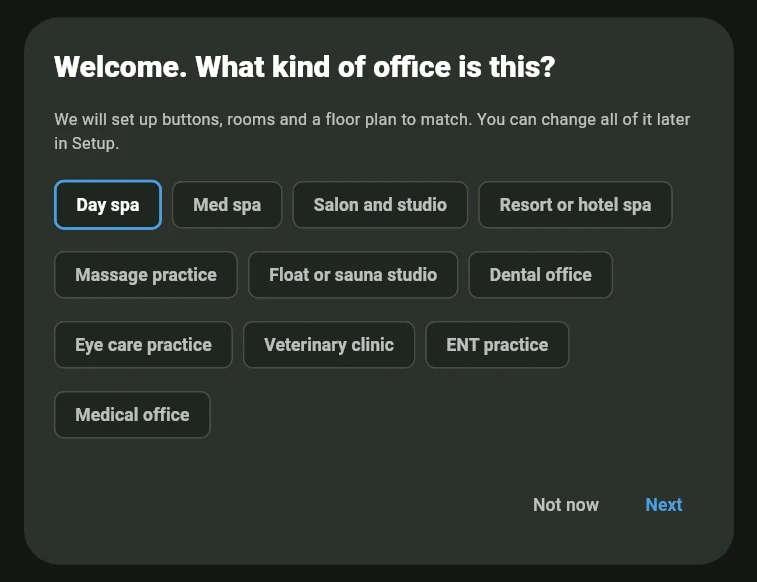
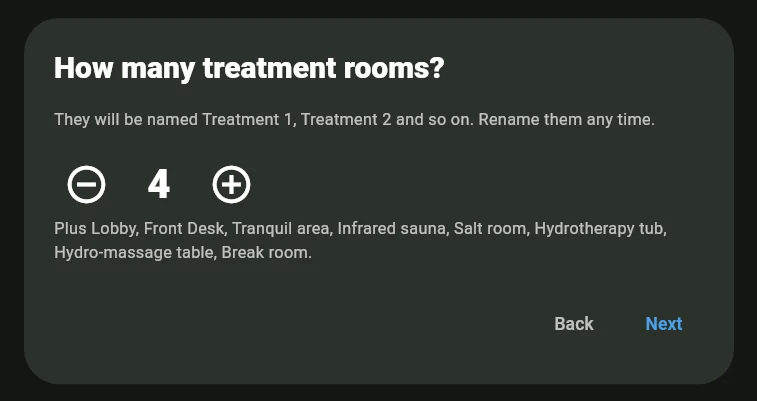
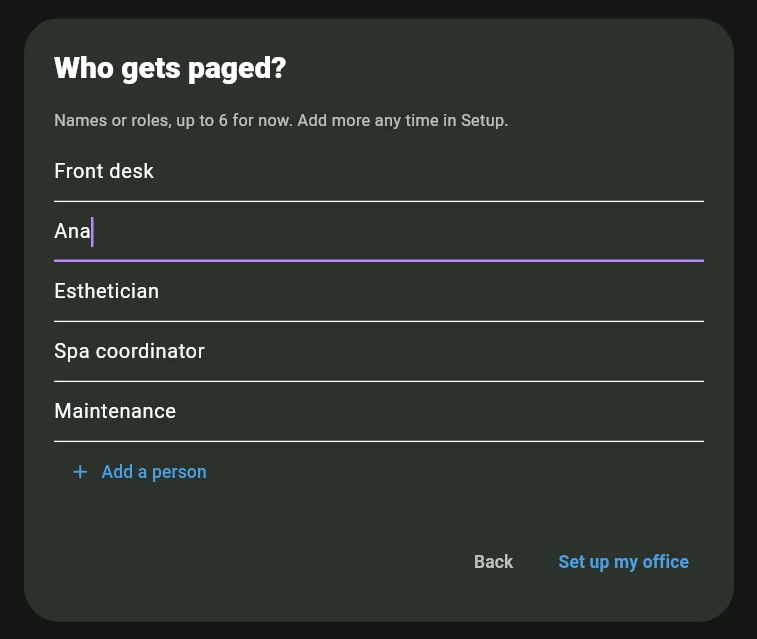
Sign up with an email, no credit card. Then answer three questions (what kind of business, how many rooms, who gets paged) and your board fills with rooms, actions and a floor plan. Or describe your spa in a sentence or two and the app proposes the whole setup for you to approve. See the three questions.
Name your rooms and people
Your answer numbers the treatment rooms for you, next to a tranquil area, an infrared sauna, a salt room and a hydrotherapy tub. Rename them to whatever is on your doors: Willow Suite, Cedar, the garden room. Add each team member or role: therapists, front desk, housekeeping. Seats are unlimited and free.
Choose your actions
Keep the day-spa defaults: client ready, in the restroom, filling out forms, done in five minutes, turn the room. Or write your own. Buttons say what your team says.
Put it on every screen
Open AltoSignal on the front desk iPad and each phone, with native apps for iPhone, iPad, Android, Amazon Fire, Mac, Windows and Linux, or any browser. Then pick this device’s sound pack under Alert sounds. The same card can switch this screen’s alert sound off entirely, for a treatment room that should hear nothing. Those two are the sound settings a device has; how loud it plays is the device’s own volume, and the emergency alarm sounds either way.
Send your first signal
Client ready · Treatment 1 · to Massage therapist. Watch it land, watch the acknowledgement come back, and brief the team with the script on the right.
Device checklist
- Front desk: iPad or desktop, volume up, screen kept on
- Each therapist: own phone, volume set for the room it is in
- Dispensary / back of house: tablet or monitor, volume low
- Housekeeping: shared phone, volume up
- Manager: phone, whichever pack they prefer
The day-one script
What to tell the team at the huddle:
“When your guest is ready, AltoSignal sounds on the screen nearest you. No more knocks. Tap it once so the desk knows you saw it. When you finish a room, tap turn the room and housekeeping takes it from there.”
The three questions
What the app asks the first time it opens on a new account. Only an owner or admin is asked, and an account that already has its own buttons never is. Every answer can be changed later in Setup.
Set it up before your first guest arrives.
The spa starter set ships with rooms and actions ready to rename.